Automation & Systems

Portfolio

Automation & Systems

Leads land in your CRM the moment they arrive. Reports show up in Slack before anyone asks. Client records get updated, not duplicated — nobody re-typing, nobody chasing a spreadsheet.

Client record hygiene

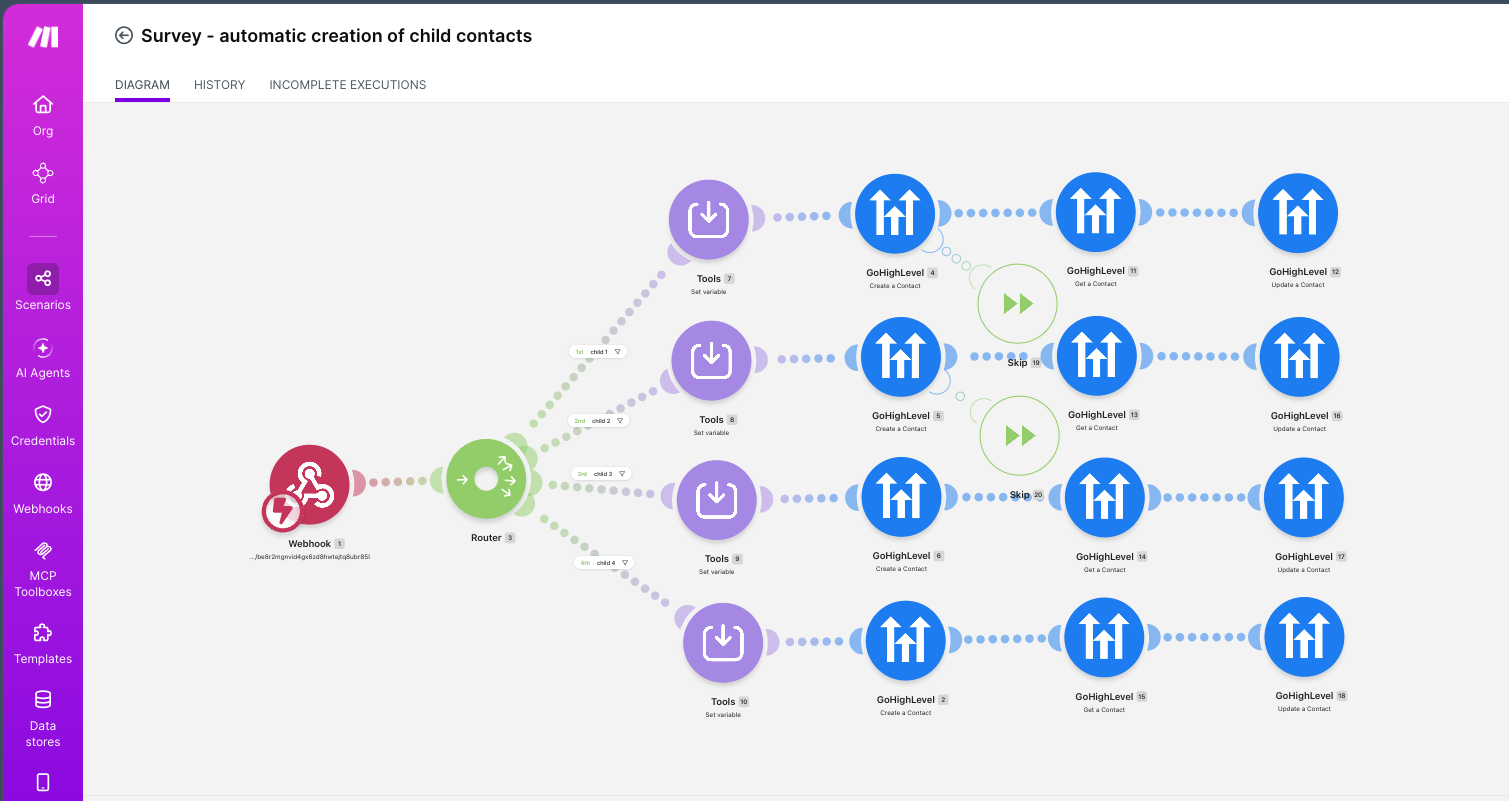
One form, four linked records, zero duplicates

One survey submission creates up to four linked contact records in GoHighLevel. A returning client’s record gets updated, not duplicated — so their history stays one history.

The detail that matters: A Get Contact step runs before every write, with a skip node after Create. The flow looks for an existing contact first. That is what keeps the database clean a year later, when nobody remembers how it was set up.
  • Make.com
  • GoHighLevel
  • Webhooks
Lead capture

Facebook leads into your CRM the moment they arrive

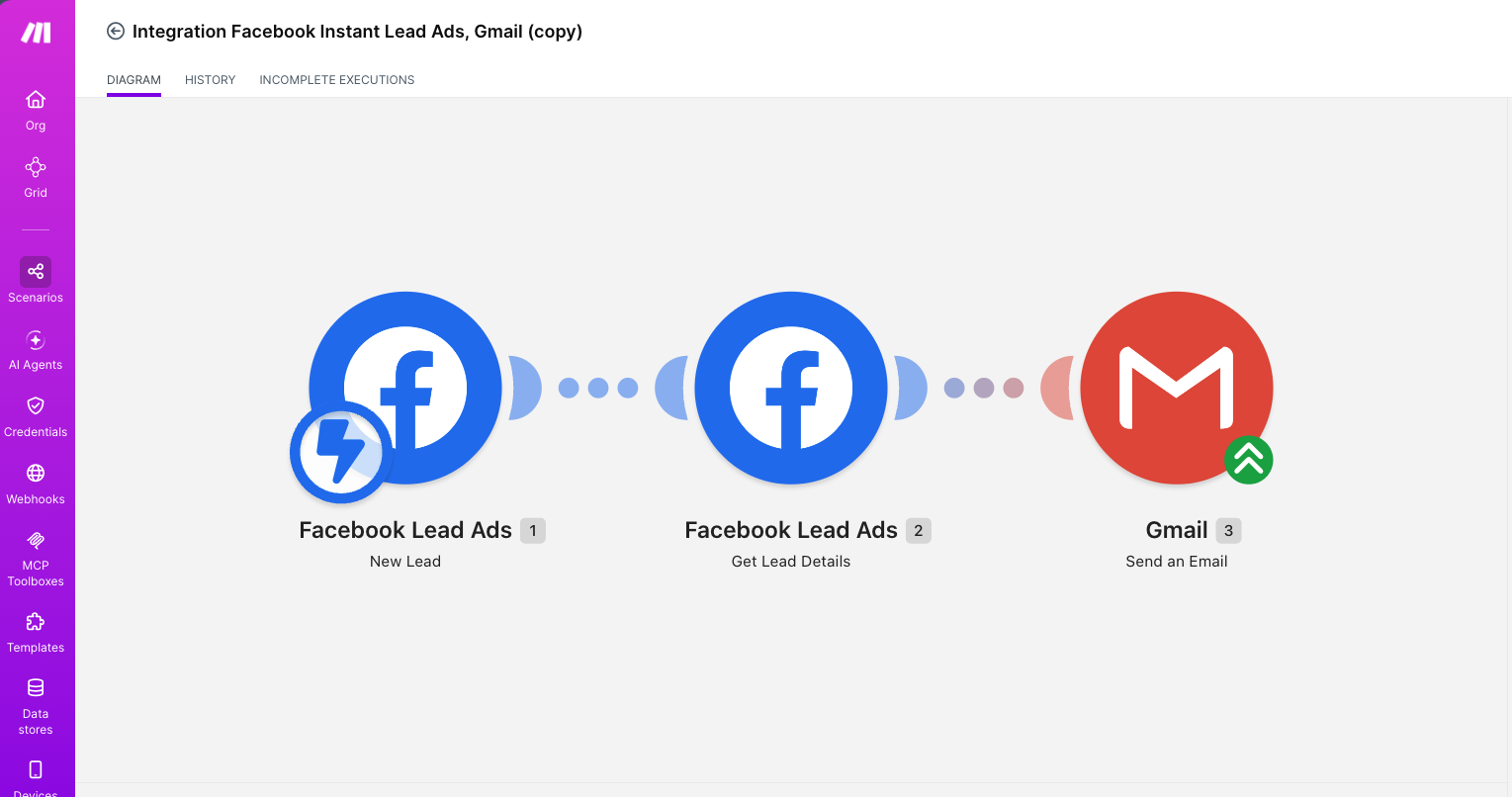
Submissions are caught on arrival, enriched with the full lead record, and routed into the CRM and the team inbox. Nobody re-types anything. Nobody finds a lead three days cold in a spreadsheet.

The detail that matters: Three steps, not two. The webhook payload is incomplete on its own, so a second call fetches the full record before anything is dispatched. Built as reusable variants into Gmail, GetResponse and GoHighLevel.
  • Make.com
  • Facebook Lead Ads
  • GoHighLevel
  • GetResponse
Conditional routing

Workflows that branch on the outcome

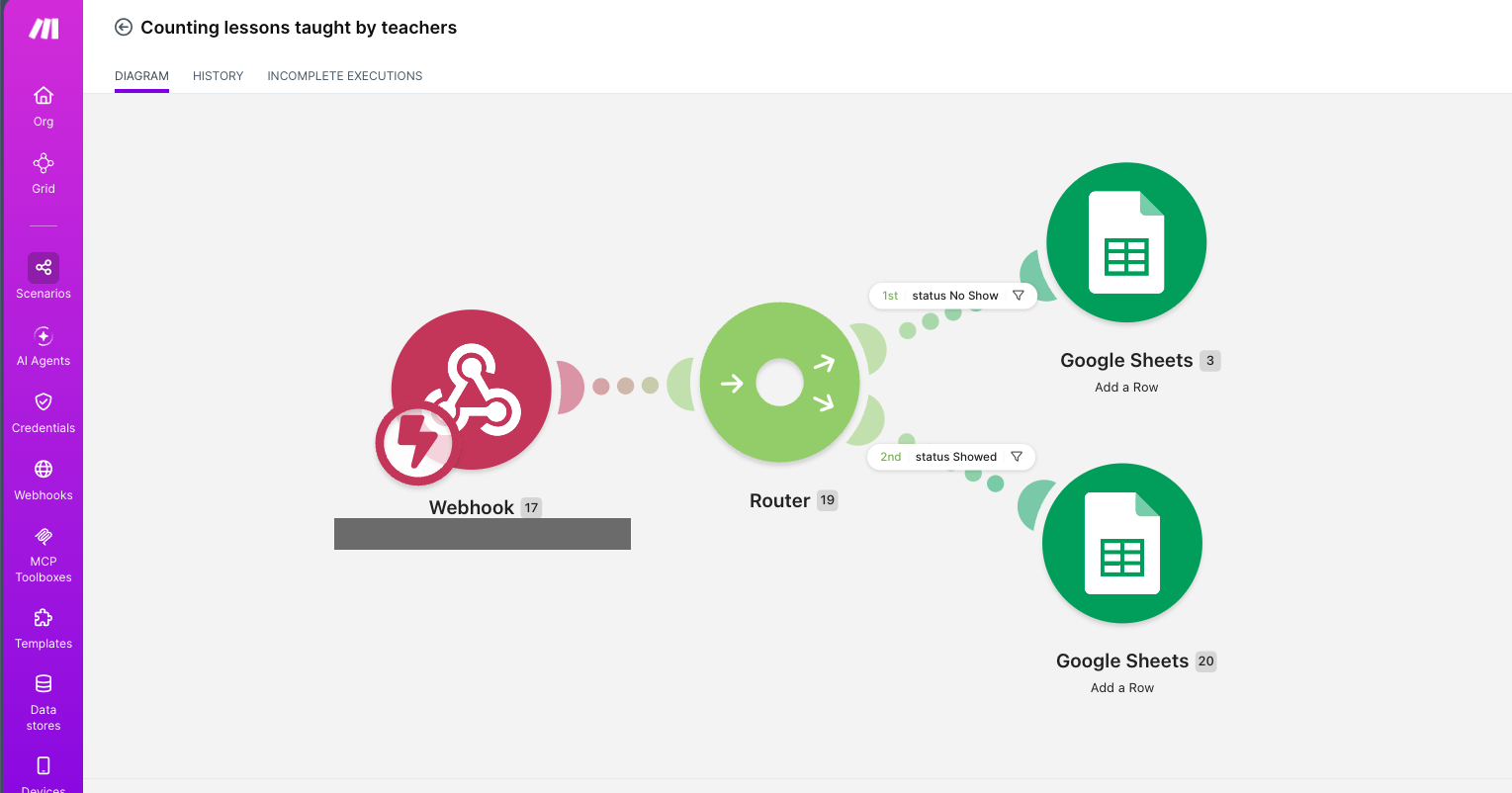
A webhook-triggered flow that splits on result and writes to different destinations. The attendance version separates Showed from No Show into their own logs, so each follow-up is already correct before anyone opens it.

The detail that matters: Filters sit on the router and read the status field, so every branch is independently testable — you can prove one path works without firing the other.
  • Make.com
  • Webhooks
  • Google Sheets
Paid ads

Audience sync for lookalike targeting

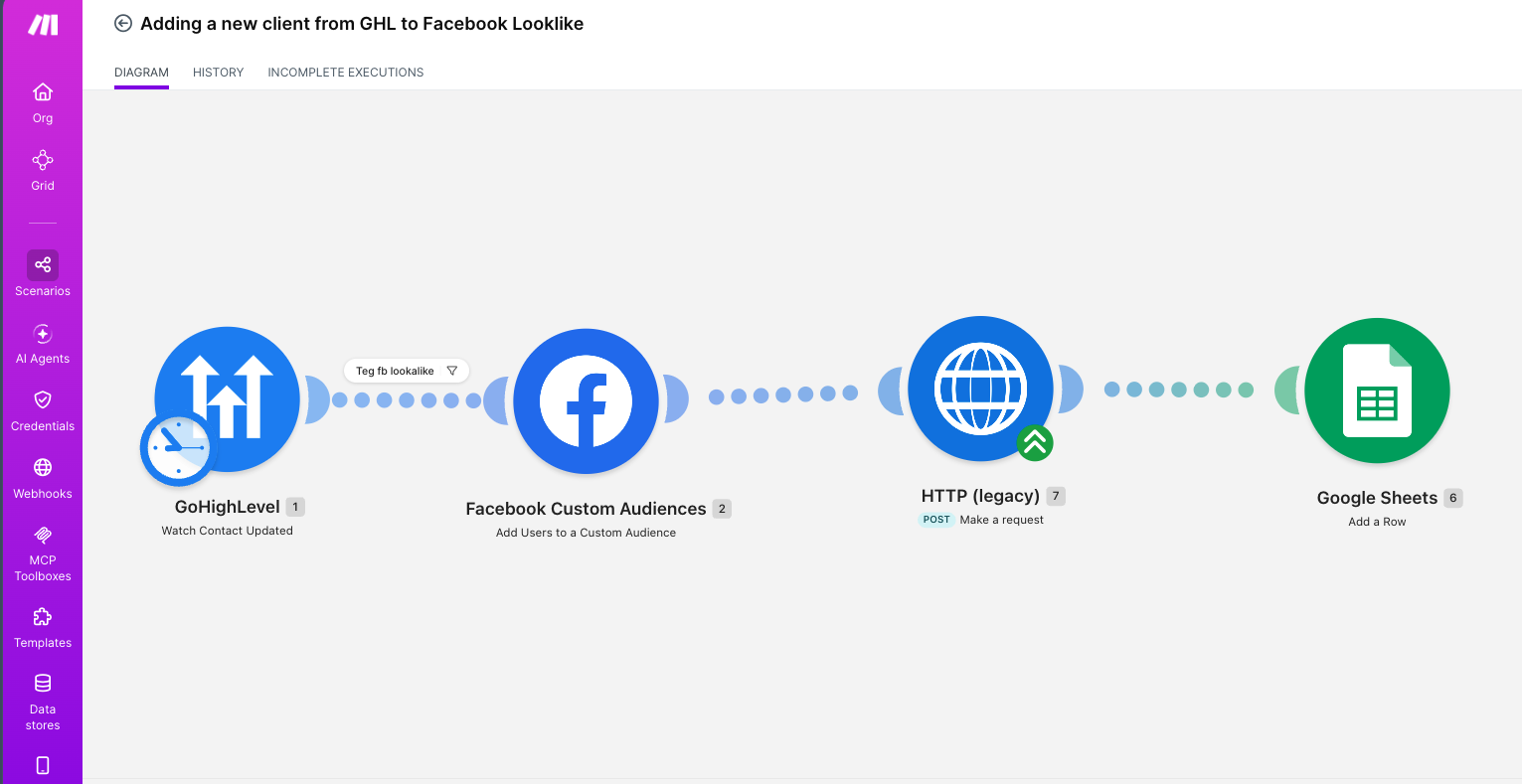
Tagged contact updates in GoHighLevel push straight into Facebook Custom Audiences, with a Sheets log alongside for reconciliation. The ad account always works from a current list, and you can prove what was sent.

The detail that matters: A tag filter sits between the trigger and the push. Only contacts explicitly marked for lookalike sync go up — nobody gets uploaded by accident.
  • Make.com
  • GoHighLevel
  • Facebook Custom Audiences
Scheduled watching

A spreadsheet that tells you when something lands in it

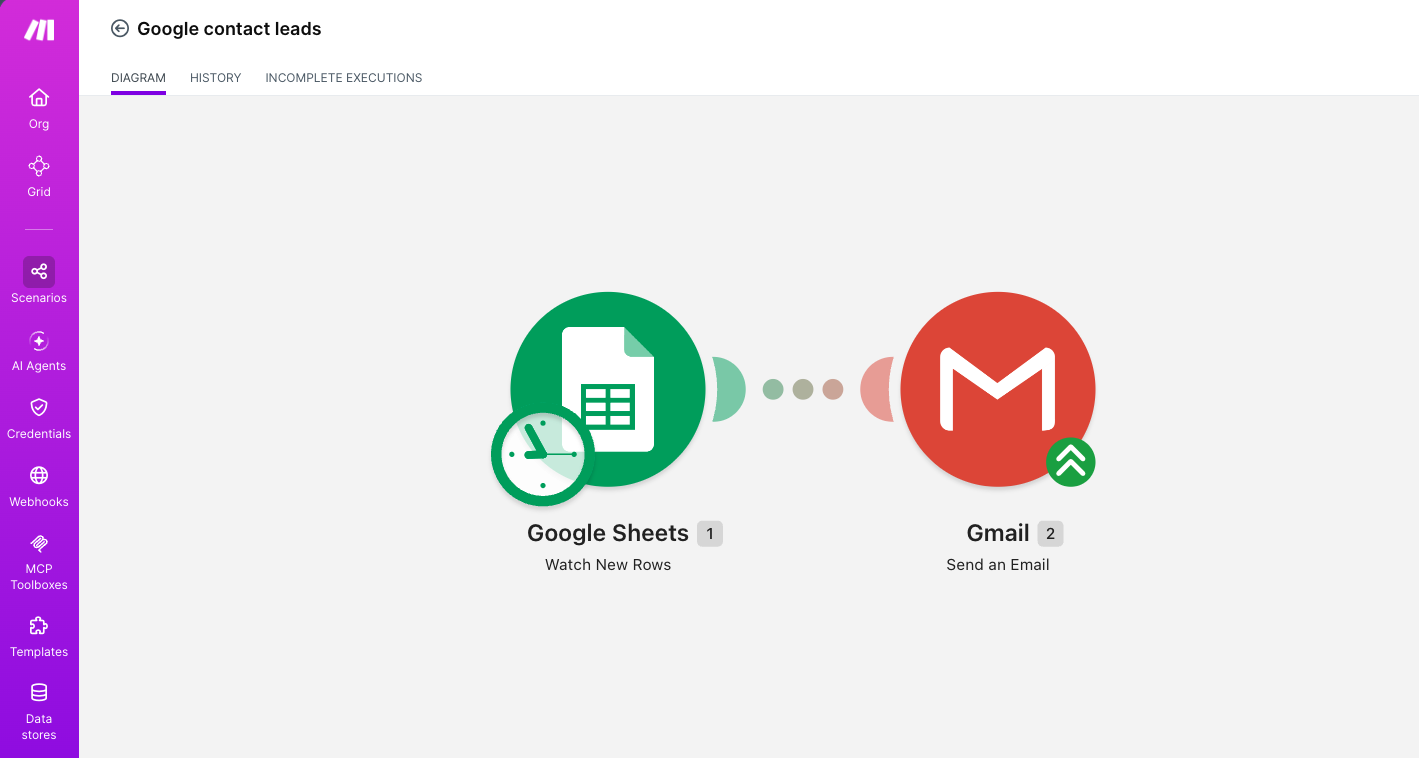
A shared sheet is watched on a schedule, and every new row sends a formatted email to whoever needs to act on it. The team keeps working the way they already do — in the sheet — and nobody has to remember to go and check it.

The detail that matters: It watches rows, not the file. A file-level trigger fires on any edit, including someone fixing a typo; a row-level watch only fires on genuinely new entries, so the alerts stay worth reading.
  • Make.com
  • Google Sheets
  • Gmail
Reporting & alerting

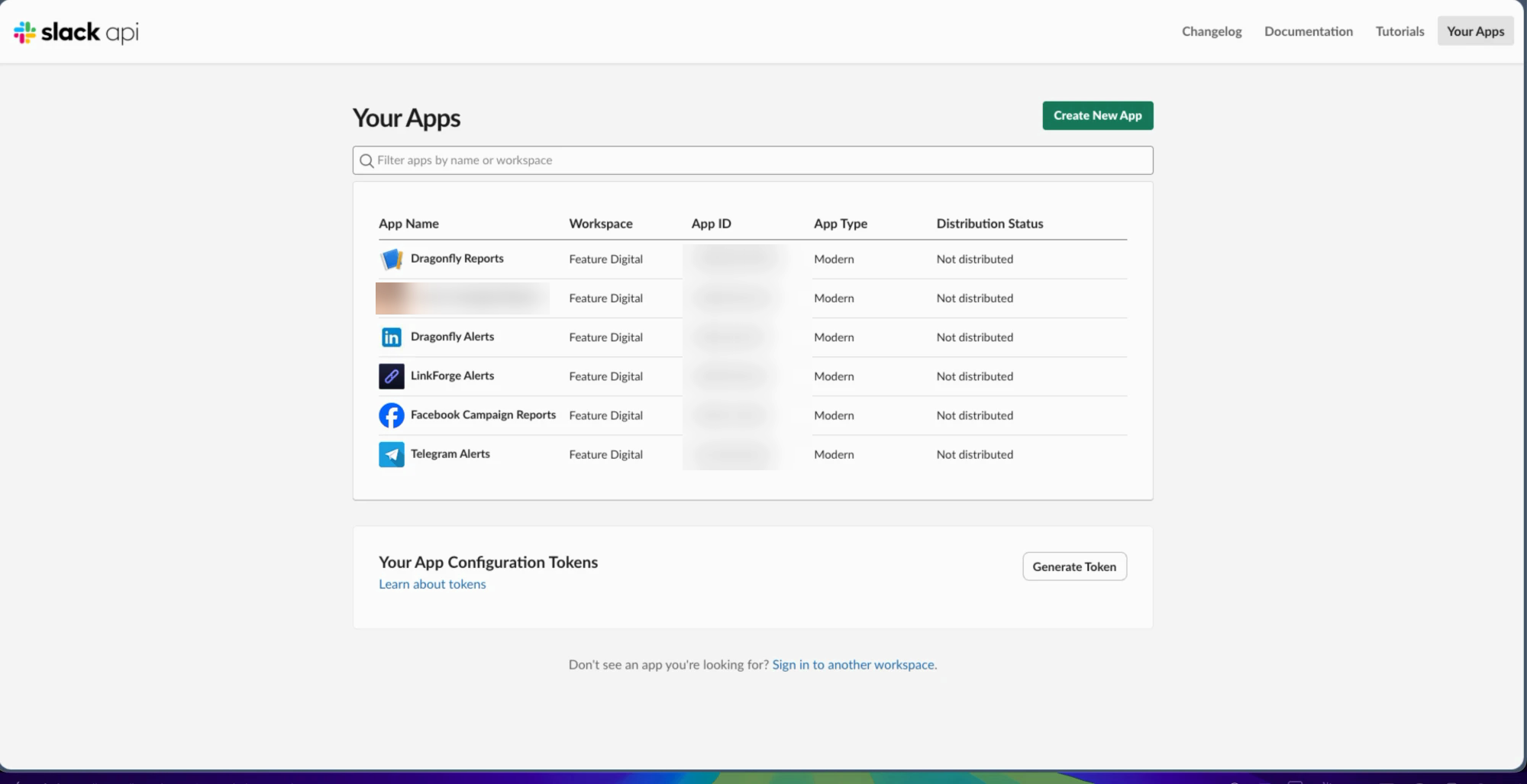
Six Slack apps so nobody opens a dashboard

Custom Slack and Telegram apps push scheduled performance reports and error alerts straight into team channels. The numbers arrive on their own, and a failure announces itself instead of surfacing a week later.

The detail that matters: Alerting went in at the same time as the automation, not after the first silent failure. A silent automation is worse than none — you trust it while it quietly does nothing.
  • Slack API
  • Telegram
  • Make.com

How I work

Four habits that decide whether a system is still running a year later.

01

I read the execution logs

When something breaks I look at what actually ran, not at what should have run.

02

I fix at the root

A patch that hides a symptom means the same ticket comes back next month.

03

Alerting from day one

A silent automation is worse than none — you trust it while it quietly does nothing.

04

An SOP for every system

Written so the next person can run it without me. That is the point of documenting it.

Got a process that eats someone’s afternoon?

Tell me what it is and I’ll tell you honestly whether it’s worth automating.

Get in touch